Improved Form Validation
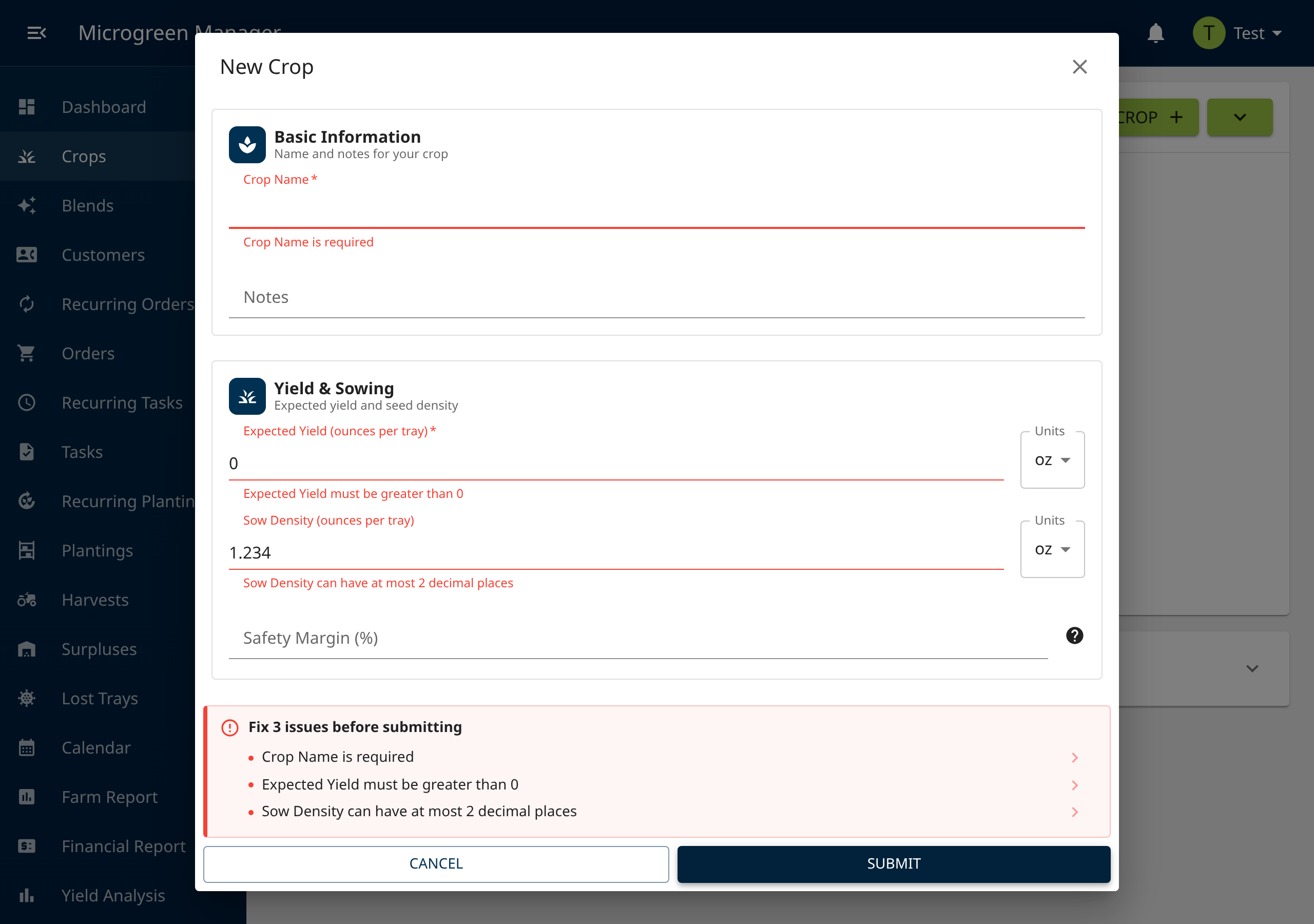
Forms are much more intuitive now! When something is missing or invalid and you press submit, Microgreen Manager will now tell you exactly what’s wrong and where to go to fix it.
Follow new updates and improvements to Microgreen Manager.
Forms are much more intuitive now! When something is missing or invalid and you press submit, Microgreen Manager will now tell you exactly what’s wrong and where to go to fix it.
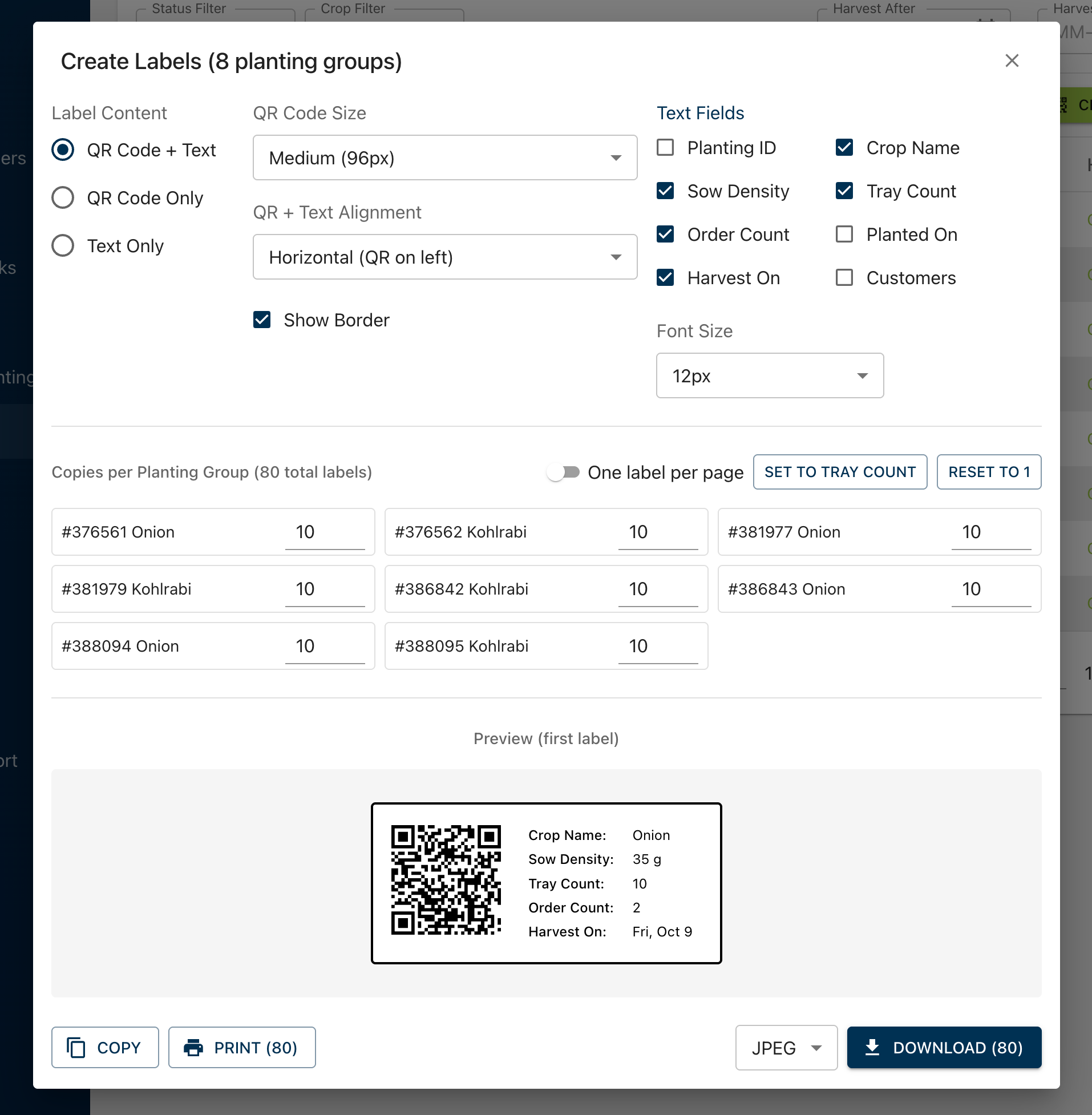
You can now create and print QR tray labels for multiple plantings at once. Start from Plantings, a planting group, any task that has plantings, or Create All Labels on the dashboard seed-needed card. Set how many copies you want for each planting and print several labels on the same sheet.
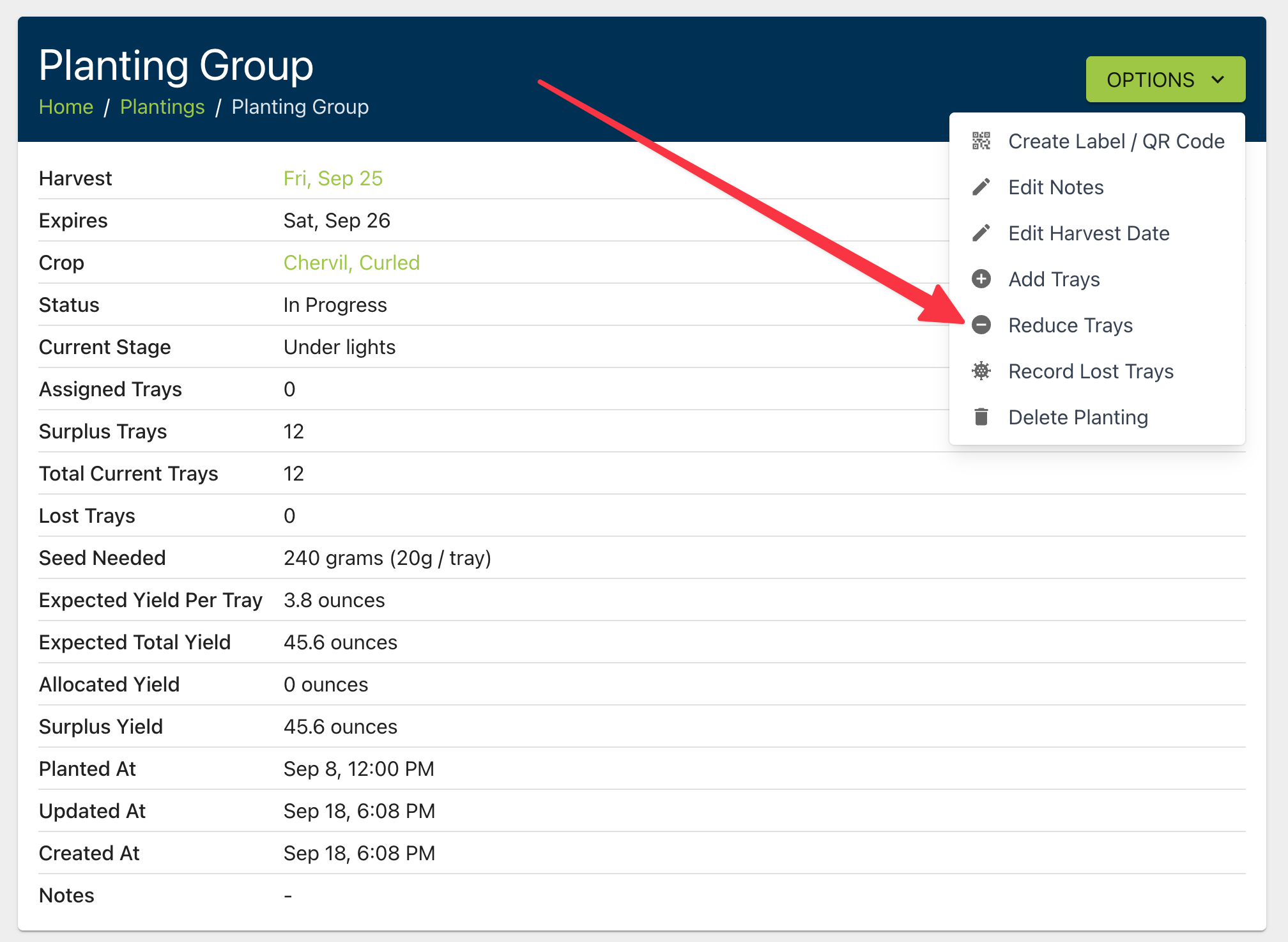
You can now lower the tray count on a planting group from Reduce Trays. It works for planned and in-progress plantings that are not attached to any orders, and it does not record a lost-trays incident.