Sell Crops By The Tray
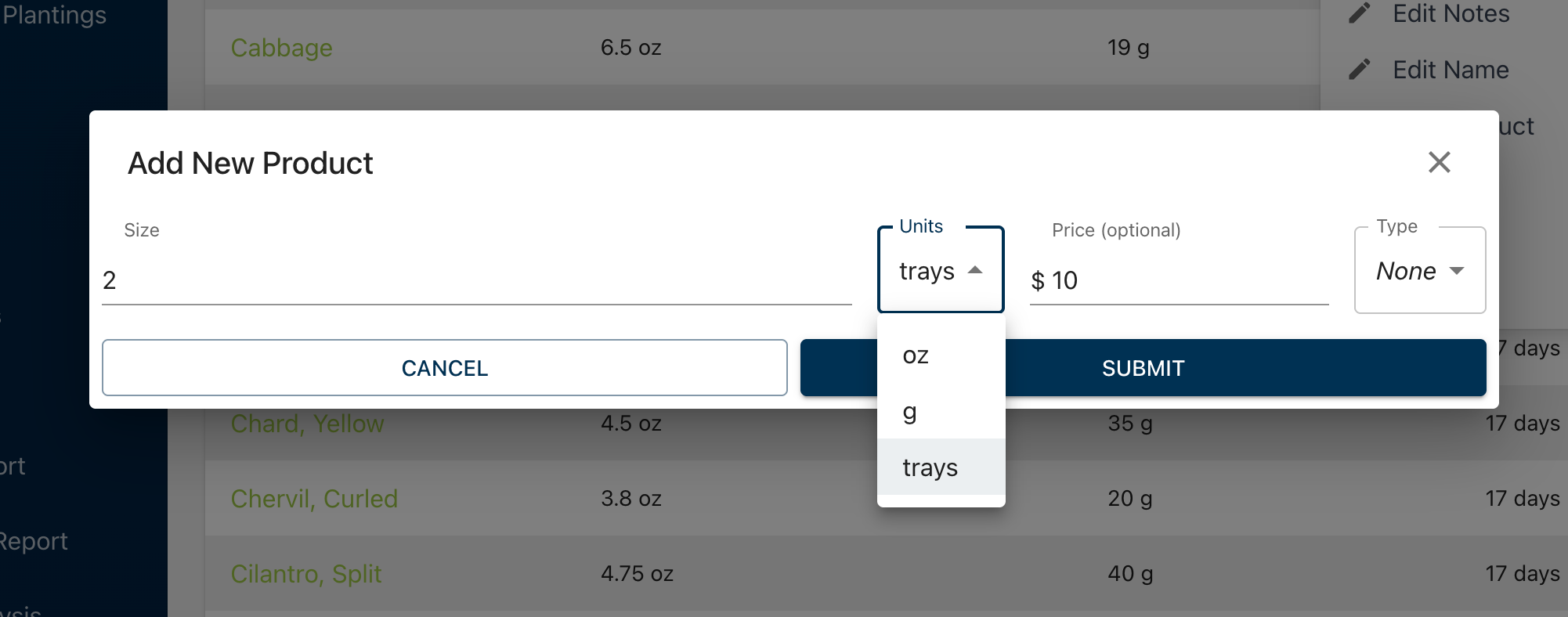
You can now add tray products to your crops, each with its own price. If you sell living trays or price by the tray, you no longer need to enter that price on every order.
How to add one
Open a crop and choose Options > Add Product. You can also add products when creating a new crop.
Choose trays under Units. The size fills in as 1, and you can change it.
Enter your price and submit.
Any tray size works
Sizes can go down to 2 decimals, so you can set up a single tray, a 2-tray pack, or a half tray, each with its own price.
Ordering
Tray products appear in the Units dropdown on orders and recurring orders, with the price filled in for you. Microgreen Manager plans the right number of trays from the order. For example, an order for 3 of a 2-tray product plans 6 trays, plus any safety margin you've set for that crop.
Good to know
Tray products are for crops only. Blends are still sold by weight.