Label Sheet Layouts: Print Tray Labels on Any Label Sheet
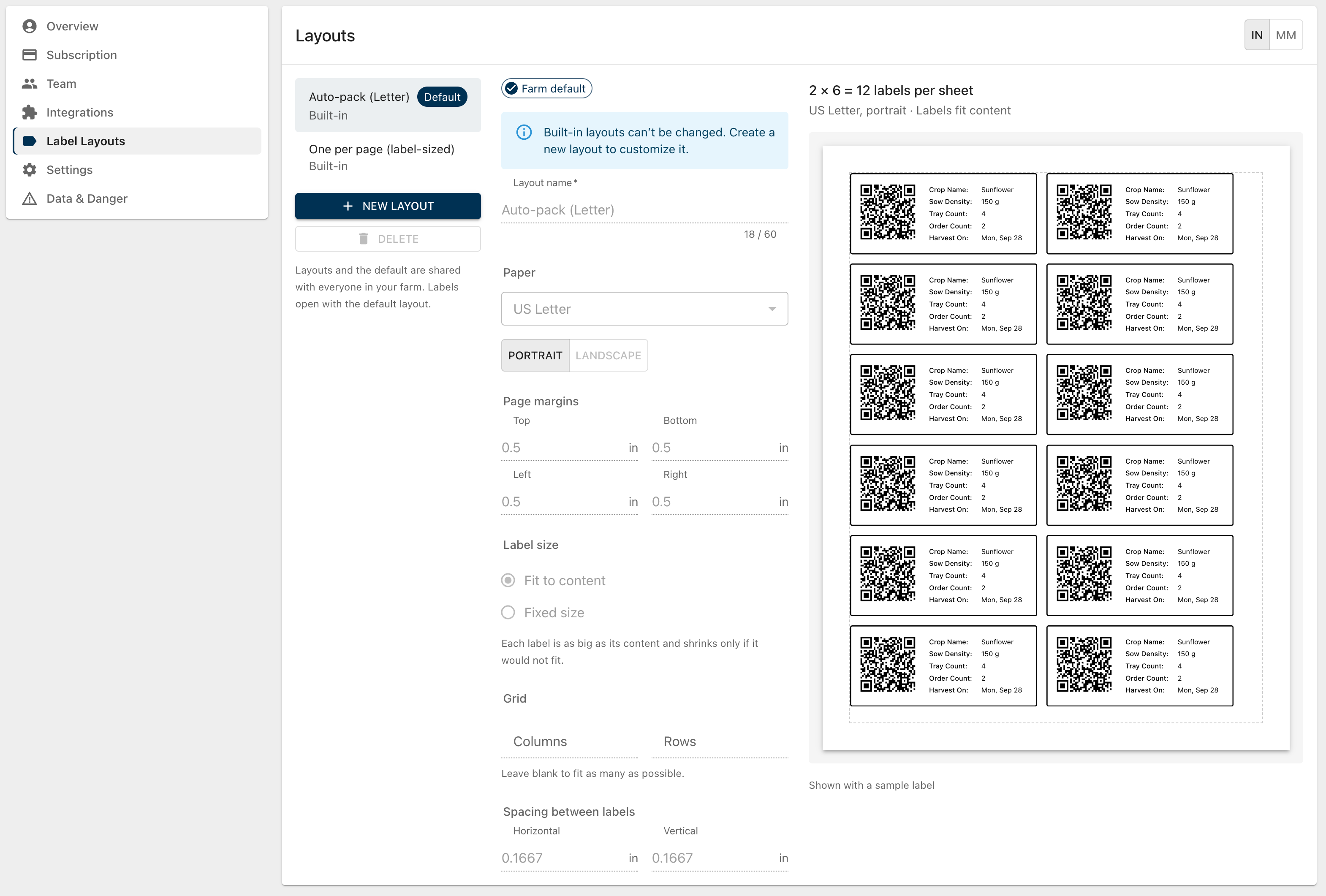
You can now choose exactly how your tray labels are laid out on the page, so they line up with the label sheets or label printer you already use.
Built-in layouts
Every farm starts with two layouts you can use right away:
Auto-pack (Letter): fits as many labels as possible on a US Letter page, just like labels printed before.
One per page (label-sized): prints each label on its own page, exactly the size of the label. This works well with label printers.
Make your own layouts
Create a layout to match your label sheets. Set the:
Paper: US Letter, A4, or a label-sized page, in portrait or landscape, with your page margins.
Label size: a fixed width and height to match your sheet, or labels that fit their content.
Grid: how many columns and rows go on each sheet, and the spacing between labels.
The preview shows the whole sheet as you type, with a sample label, so you can check it before printing. If something won't fit, like too many columns for the page, it tells you what to change. Sizes can be shown in inches or millimeters.
Shared with your farm
Layouts are saved for your farm, so everyone on your team sees the same ones. Choose a default layout and labels will open with it every time.
Manage your layouts in Account › Label Layouts, or click Customize next to the Sheet Layout dropdown while creating labels. Changes show up in the label dialog right away.
Every export matches
Print, PDF, PNG, JPEG, Copy, and Share all use your layout, so what you see in the preview is what comes out. When there are several pages of images, they download as one ZIP file.
Works with your AI assistant
If you've connected an AI assistant like Claude or ChatGPT to your farm with our MCP integration, it can now see your layouts, create and edit them, and set your farm's default layout. Tell it the label size and how many labels fit on your sheet, in inches or millimeters, and it will set up the layout for you. Printing still happens in the app.
Anyone with permission to modify plantings can create and edit layouts, in the app or through an AI assistant. Everyone can choose which layout to print with.