Edit When a Task Was Completed and Who Completed It
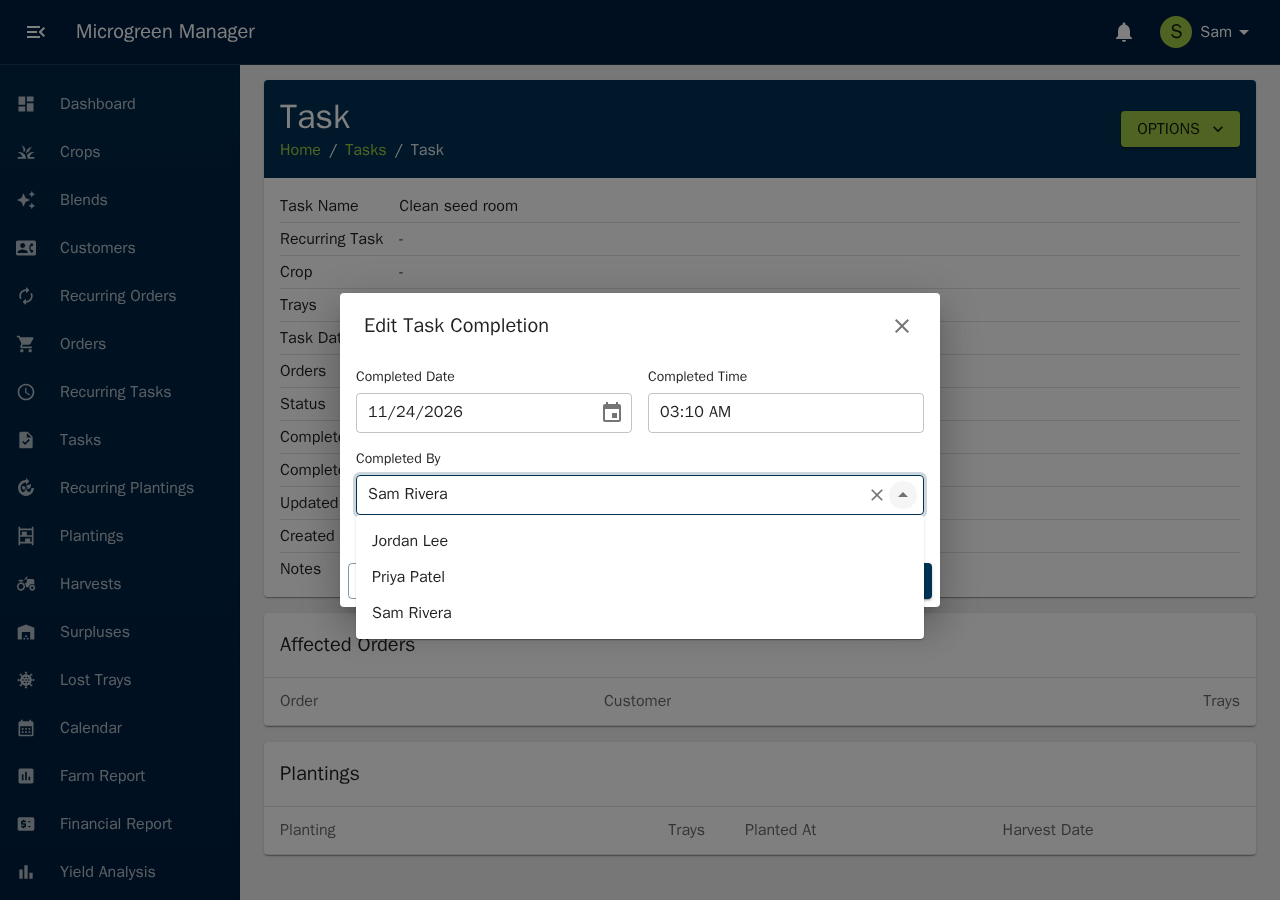
You can now fix the completed date, time, and name on a task after it's been marked complete. This is handy when a task was checked off later than it was actually done, or by someone else on the team's behalf.
How to use it
Open a completed task, choose Options › Edit Completion, change the Completed Date, Completed Time, or Completed By, and submit.
Farm admins can pick anyone on the team for Completed By, or type any name.
Team members who can complete tasks can type the name.
Plant tasks
A Plant task's completed time is when its trays were planted, so editing it also changes the planted date of those trays.
Good to know
The completed time can't be in the future.
The completed time can't be later than a later step for the same trays that's already been completed. For example, a Plant task can't be moved to after its trays were harvested.